
Drake Burning Bridges AI Video: Watch the Trend, Make Yours
The close-up, the raised cup, the wave: the party scene in Drake’s “Burning Bridges” video became a format people recreate with AI. Here is what our one-photo, 23-second version looks like and how to make yours.
Quick answer
Upload one clear portrait to make a 23-second AI video with sound. The result is a 16:9 landscape MP4 at 2560 × 1440 pixels (2K/1440p). The studio supplies the scene and motion reference, so you do not need a prompt or your own video. One generation credit starts at $9.99.
Watch the complete example
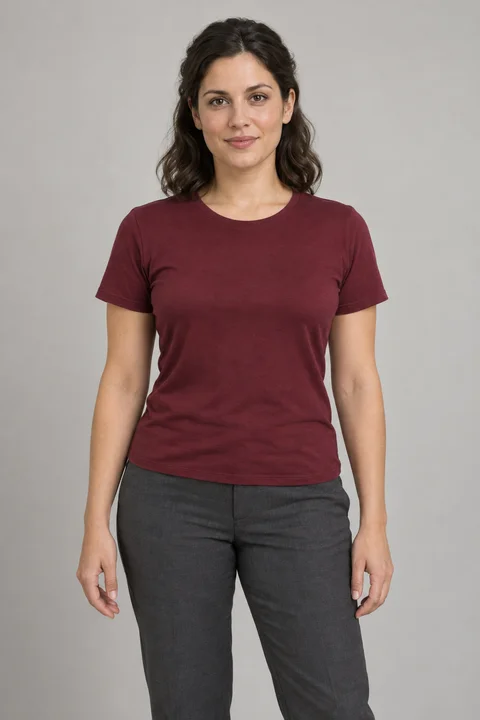
Compare the input portrait with the full generated video. Watch the face, hands and clothing as the camera moves; the reference guides the action, while the photo guides the lead person's appearance. Your result may differ from this example.
 Input photo
What is the Burning Bridges trend?
The Burning Bridges trend is a wave of AI-made videos inspired by the party scene in Drake’s “Burning Bridges” music video. Creators put a new subject in the lead while keeping recognizable elements such as the close handheld camera, raised cup and wave. These remakes are separate from Drake’s original video.
Watch the source party sequence in Drake’s official video at about 2:40. The original shows the movement and audio that inspired our fixed 23-second reference; your AI-generated result can differ.
How can I make my version?
- Choose a clear photo of one person that you have permission to use. The studio supplies the scene and motion reference.
- Upload your photo, sign in, and confirm creation. One 23-second video uses 1 generation credit.
- Follow progress in the studio or Generation history. Review the result and download it within 24 hours of submission.
You do not need to write a prompt or upload a reference clip. For photo requirements and each screen in the process, read our step-by-step creation guide.
What you get and what it costs
- One 23-second MP4: 16:9 landscape, exported at 2560 × 1440 (2K). It is not a vertical file.
- A fixed scene with sound: you do not need to find a clip or write a prompt. Your photo guides the lead person’s appearance; the reference guides the gestures and camera movement.
- A result to check: hands, clothing and facial details can change as the camera moves. A 2K export does not guarantee a perfect likeness.
Watching the example and reading the guide are free. Creating your own video uses one paid generation credit. Current packs are:
- 1 generation credit — $9.99
- 3 generation credits — $19.99
- 10 generation credits — $59.99
Prices are in USD with no subscription. Sign in before buying; check current pricing and availability in the studio. A confirmed generation failure returns your credit.
Generation usually takes about 5–30 minutes, though it can vary. The download expires 24 hours after submission, not after completion. The current export is landscape only; you can crop it elsewhere for a vertical post, but that may cut off people or gestures.
The visual ingredients
- A close camera: the person acknowledges the lens, making the viewer feel part of the room.
- A simple gesture: a raised cup or a wave carries the moment.
- A lively background: friends and subtle movement give the scene context.
- A consistent character: a clear character reference helps keep the performance visually coherent.
Photo animation and reference motion
The photo and the reference video play different roles. The photo gives the AI visual cues such as hair, clothing and posture. The video provides a sequence of gestures and camera movements, giving the animation a rhythm to follow.
The studio has a fixed 23-second reference ready to use, including its audio. Choose your photo without preparing another clip or writing motion instructions. The linked original scene shows the timing and gestures; your generated result will vary.
Use a sharp photo with one unobstructed face and visible upper body. A group shot or a face hidden by sunglasses gives the model less useful information. Only use your own photo or one you have permission to animate, and check the music rules of the platform where you post.
Is this an official Drake tool?
No. Burning Bridges Studio is an independent creative tool. It is not affiliated with Drake or his labels. References to the song describe the trend that users are searching for.
Start with your photo →