Choose your photo
One person, a clear face, a little room to move. A chest-up shot is a great place to start.

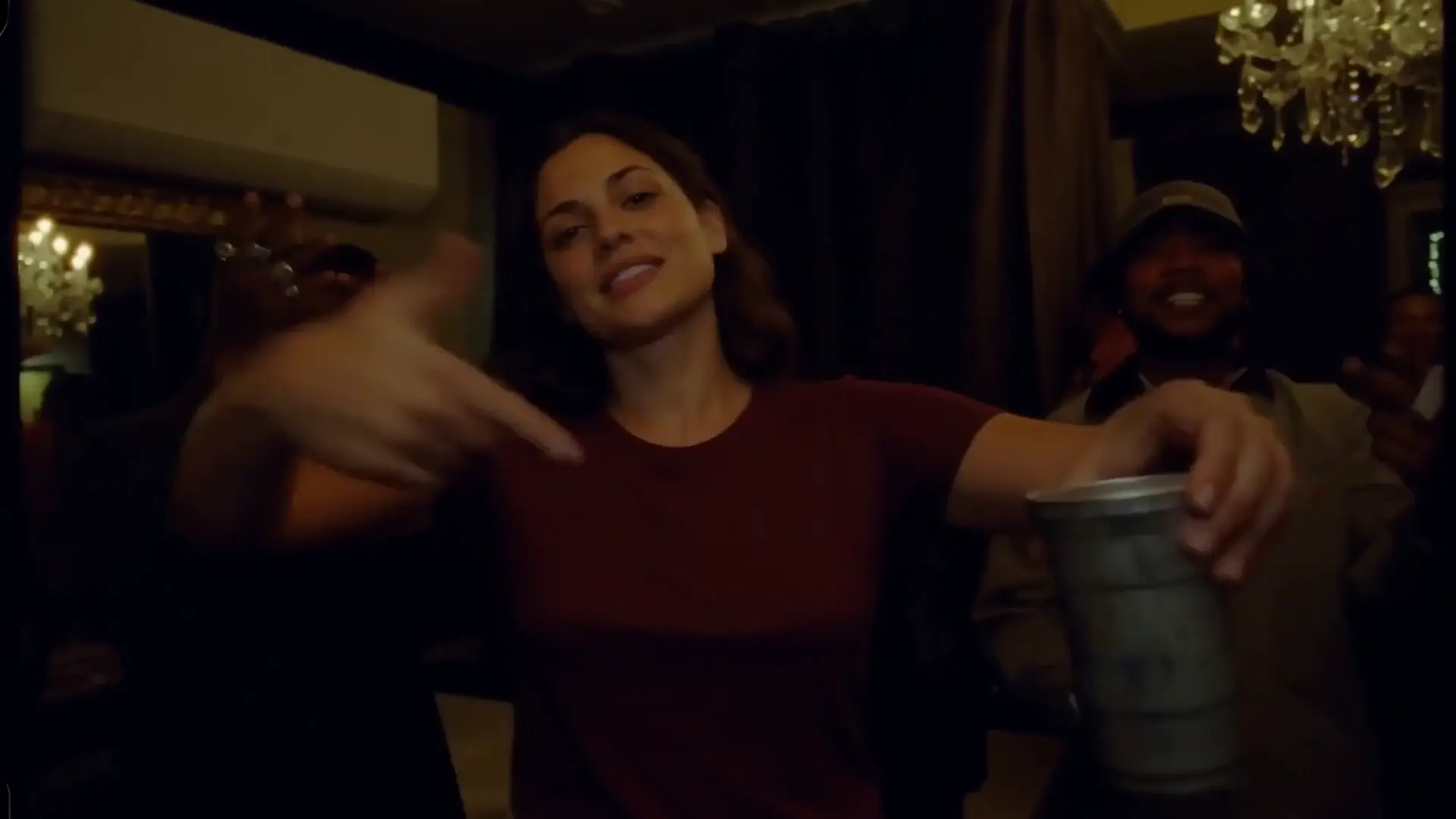
Turn one portrait into a 23-second Burning Bridges AI video. The fixed party reference guides the close-up, cup raise and wave; your photo guides the lead person's appearance. Export a 2K landscape clip with sound.
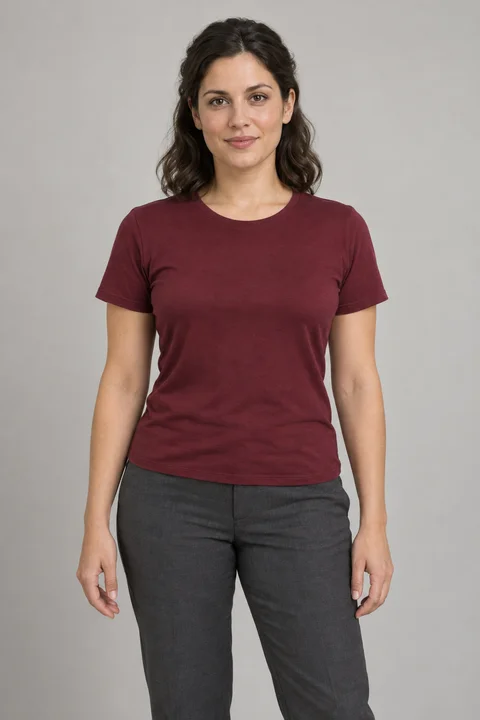
Add one clear portrait. The 23-second scene, camera movement and sound are ready; no prompt or reference video needed.
23 seconds · 16:9 landscape · 2K export · sound included
The input photo from our exampleBEFORE YOU GENERATE
Choose a well-lit photo of one person with a clear face. Keep the hair and upper body in frame so the AI has more detail to work from.
One person, a clear face, a little room to move. A chest-up shot is a great place to start.
Check your photo, then confirm when you are ready. Each 23-second video uses 1 generation credit.
Follow your video’s progress, review the result, and save it within 24 hours of submitting it.
THE TREND
The trend takes its cue from the party sequence in Drake’s “Burning Bridges” video: a close handheld camera, a raised cup and a wave to the crowd. Our fixed 23-second reference guides those gestures; your photo guides the lead person’s appearance.
The result is AI-generated and can vary from the example. This is an independent tool, not an official Drake product. Read our Drake Burning Bridges AI video trend guide for the scene background and a complete generated example.
1 credit = one 23-second 2K video. One-time packs. No subscription.
$9.99
one video
One photo. Your own Burning Bridges moment.
Create one 23-second video$19.99
≈ $6.66 per video
Try three different looks, or make a video for a friend.
Create 3 separate 23-second videos$59.99
≈ $6.00 per video
Make a collection of moments for your whole group.
Create 10 separate 23-second videosPeople use AI to put themselves into a party performance inspired by Drake’s “Burning Bridges” video. Our tool uses one photo and a fixed reference to create a 23-second landscape video with the familiar close-up, cup raise and wave.
Upload one clear portrait of yourself or someone who gave permission, sign in and start generation with 1 credit. The studio supplies the party scene and motion reference. Review the finished 23-second landscape MP4 with sound before sharing it.
You can watch the examples and read the photo guide for free, but generating your own video requires a paid credit. Each 23-second video uses 1 credit. Available packs are shown in the pricing section.
Our packs are $9.99 for 1 generation credit, $19.99 for 3 generation credits, $59.99 for 10 generation credits. Each credit creates one 23-second video. Sign in before purchasing. Prices are in USD, with no subscription. Availability is shown in the pricing section.
Your photo guides the appearance, including hair and clothing. The reference clip guides the gestures, pace and camera movement. You do not need to write a prompt or upload a video. Fine details can vary, so watch the full result before saving it.
Use a clear JPG or PNG of one person, with their face visible and no sunglasses. A chest-up photo with room for hand movement works best. Choose an image at least 300 pixels wide and tall, up to 10 MB. Avoid very narrow or panoramic photos.
Yes. The finished video includes the reference audio to accompany the performance. Listen before downloading, and check the music rules of the platform where you plan to share it.
The finished MP4 is exported at 2560 × 1440 pixels (2K/1440p). Visible detail can vary with your photo and the AI result.
The current download is a 16:9 landscape MP4. There is no vertical export. You can crop it in an editor, but a narrow crop may cut people or gestures out of frame.
Generation usually takes about 5–30 minutes, but the time can vary. Your video is available to download for 24 hours from submission, not from completion. You can check progress and the expiry time in Generation history.
Your photo stays on your device until you confirm video creation. Only your signed-in account can access your saved video, for 24 hours after submission. See our Privacy page for how photos and videos are processed and stored.
No. Face swaps are prohibited, including with consent. The permitted creative uses are photo animation and reference-guided motion. See the Terms of Use for the full rules.
Yes, with their permission to animate the photo and share the result. Choose a clear solo portrait, and let viewers know the finished video is AI-generated.
Usage statistics are on by default. You can turn them off here. Privacy policy